

A/B testing for your offers - October 7, 2026
Run A/B tests on your Bundles, Upsells and Quantity Breaks (Beta, on request), now with visitor based conversion rate and ARPU across your analytics.
What's new
You can now run A/B tests on your Bundles, Upsells and Quantity Breaks, right inside Sectionheroes. Set up two or more variants, send a share of your traffic to each, and let real orders decide which one earns more, instead of guessing.
New to A/B testing? Follow the full step by step guide: How to create an A/B test.
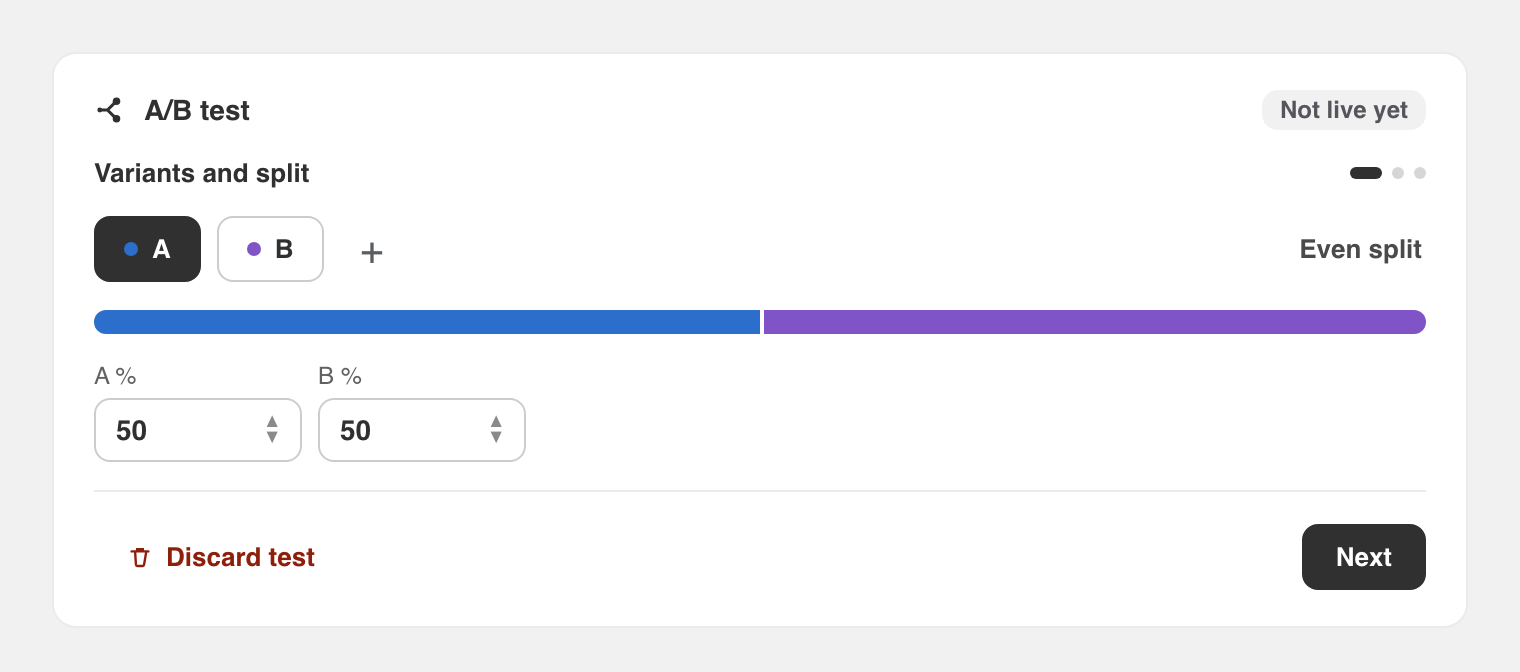
Set up a test in three steps
Choose the goal that matters to you
When you start a test you pick the metric that decides the winner:
- Revenue - total net revenue from the offer
- ARPU - revenue per visitor (new, see below)
- Conversion rate - orders per visitor
- Orders - number of orders
Why this is useful:
- A variant with a higher price can win on revenue per visitor even if it converts a little less, and now you can measure exactly that
- You optimise for your actual business goal, not just for whichever number looks nicest
See the results at a glance
While your test runs, the results panel compares every variant side by side: visitors, conversion rate, orders, revenue and revenue per visitor. The strongest variant is marked as the top performer, with the uplift against your control.
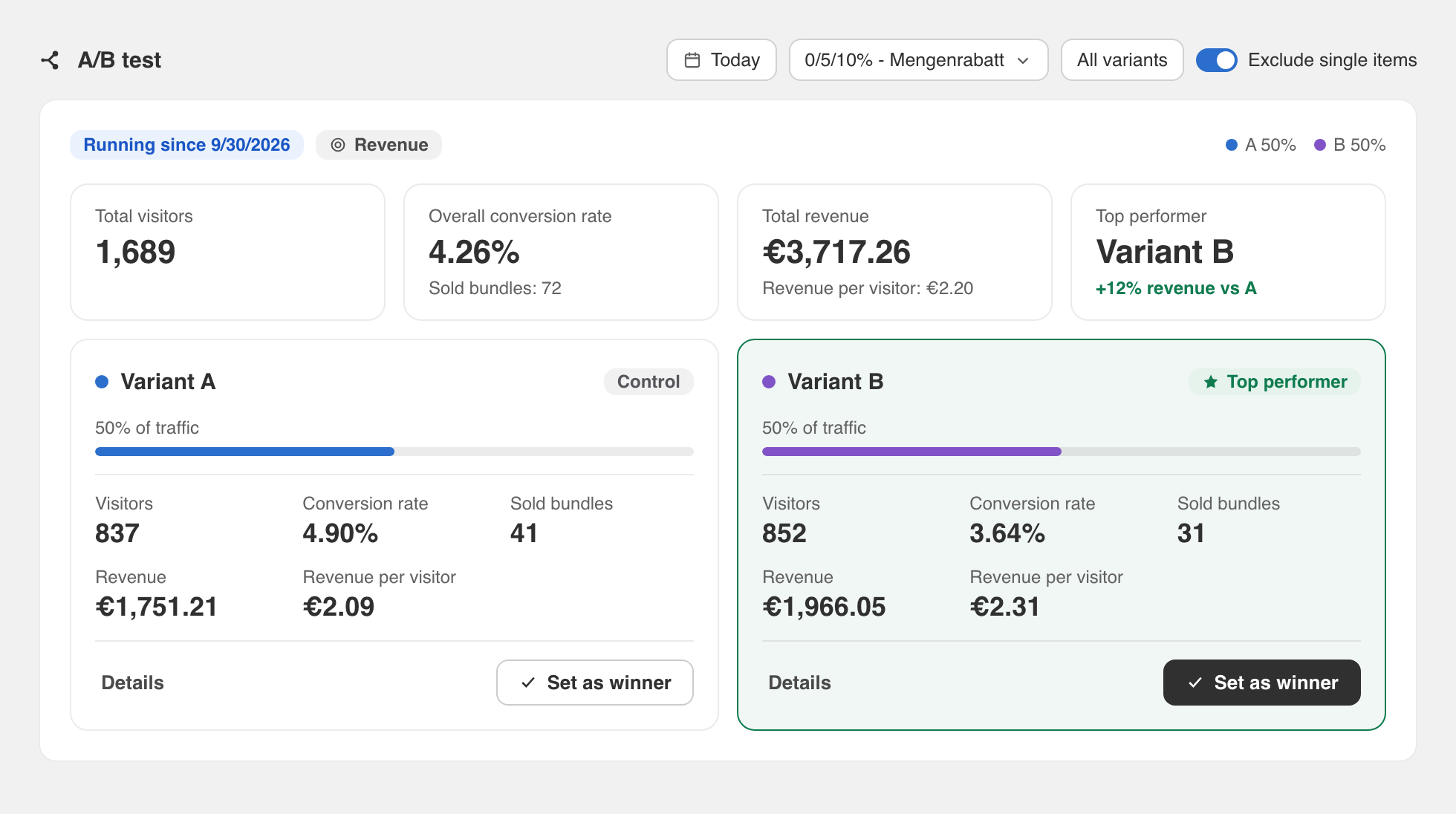
When you are ready, set a winner with one click. Sectionheroes keeps the winning variant live and archives the test in your history, so you always have a record of what you learned.
Preview a variant in your real shop
Next to each variant there is a preview (eye) button. It opens that exact variant on your storefront, so you can see how it looks for a customer before and during the test.
Also new: visitors, conversion rate and ARPU
To make A/B tests meaningful, your analytics now count visitors, not just orders. That unlocks a real conversion rate and a brand new metric across your offers.
ARPU - revenue per visitor
ARPU (average revenue per visitor) tells you how much each visitor to an offer is worth on average. It is the metric that best captures the trade off between price and conversion, and it is available both in your analytics and as an A/B test goal.
Privacy first, by design
Visitor counting is built to respect your customers' choices:
- Visitors are only counted after they consent to analytics, which we read from Shopify's own Customer Privacy API
- Without consent nothing is stored in the browser, no visitor is counted, and the visitor simply sees variant A
- No names, email addresses or payment data are ever used for this - only anonymous, per day counts
Why this is useful:
- You get a conversion rate and revenue per visitor you can actually trust
- You stay on the right side of privacy rules without any extra setup
Filter your analytics the way you think
On the analytics page you can now filter by date range and by variant (A, B or all), so you can zoom in on exactly the period and the variant you care about.
Was this article helpful?